.png)
Essential Security System Upkeep for Retailers and Commercial Properties
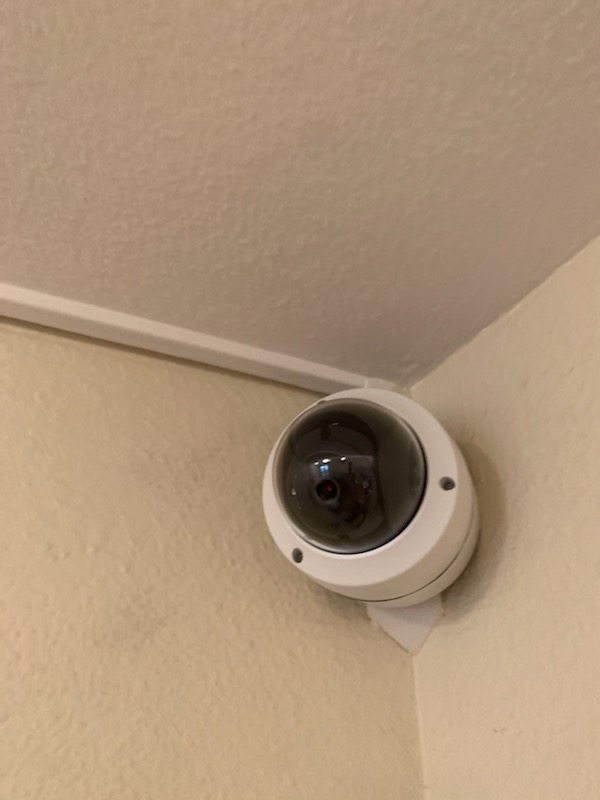
Maintaining a robust security system is not just a precaution; it is a necessity for safeguarding assets, employees, and customers. For retailers and commercial property owners, especially in California, the stakes are high. A well-maintained security system deters theft, prevents vandalism, and ensures rapid response to emergencies. However, installation is only the first step. Continuous upkeep is essential to keep these systems functioning optimally. In this post, I will share practical, actionable tips to help you maintain your security infrastructure effectively.
The Importance of Regular Security System Upkeep
Security system upkeep is a proactive approach to preserving the integrity and functionality of your surveillance and detection equipment. Neglecting routine maintenance can lead to system failures, false alarms, or worse, undetected breaches. For commercial properties, these failures translate into financial losses and compromised safety.
Regular upkeep involves scheduled inspections, cleaning, software updates, and component testing. It ensures that every camera, sensor, and alarm is operational and calibrated correctly. This vigilance not only extends the lifespan of your equipment but also enhances your overall security posture.
Key benefits of regular upkeep include:
Reduced downtime: Prevent unexpected failures.
Improved detection accuracy: Minimize false alarms.
Cost savings: Avoid expensive emergency repairs.
Compliance: Meet insurance and regulatory requirements.

Best Practices for Security System Upkeep
To maintain a high-performing security system, I recommend following these best practices:
1. Schedule Routine Inspections
Set a fixed schedule for inspecting all security components. Monthly or quarterly checks are ideal depending on system complexity. During inspections, verify:
Camera lenses are clean and unobstructed.
Sensors and motion detectors are responsive.
Alarm systems trigger correctly.
Wiring and connections show no signs of wear or damage.
2. Clean Equipment Regularly
Dust, dirt, and debris can degrade camera image quality and sensor sensitivity. Use appropriate cleaning materials such as microfiber cloths and approved cleaning solutions. Avoid harsh chemicals that could damage lenses or electronic parts.
3. Update Software and Firmware
Security systems often rely on software for operation and remote monitoring. Manufacturers release updates to patch vulnerabilities and improve functionality. Regularly check for and install these updates to keep your system secure against cyber threats.
4. Test Backup Power Sources
Power outages can disable your security system. Ensure backup batteries and generators are functional and fully charged. Test these power sources periodically to confirm they activate seamlessly during outages.
5. Train Staff on System Use and Reporting
Your security system is only as effective as the people who operate it. Provide training to staff on how to use the system properly and how to report any irregularities or malfunctions immediately.
What is security system maintenance?
Security system maintenance refers to the ongoing process of inspecting, servicing, and repairing security equipment to ensure it operates at peak performance. This includes physical components like cameras and sensors, as well as software elements such as monitoring applications and alert systems.
Maintenance is not a one-time task but a continuous commitment. It involves:
Preventive measures: Routine checks and cleaning to avoid issues.
Corrective actions: Prompt repairs when faults are detected.
Upgrades: Implementing new technologies or replacing outdated parts.
By understanding what security system maintenance entails, property owners can better allocate resources and prioritize tasks that protect their investments.

Common Security System Issues and How to Address Them
Even the best systems encounter problems. Recognizing common issues early can prevent costly disruptions.
Camera Malfunctions
Symptoms: Blurry images, frozen video, or no feed.
Solutions: Clean lenses, check connections, replace faulty cameras.
Sensor Failures
Symptoms: False alarms or no detection.
Solutions: Recalibrate sensors, clear obstructions, replace batteries.
Alarm System Errors
Symptoms: Alarms not sounding or triggering randomly.
Solutions: Test alarm circuits, update software, inspect wiring.
Network Connectivity Problems
Symptoms: Loss of remote monitoring or delayed alerts.
Solutions: Check router and modem, secure Wi-Fi connections, update firmware.
Addressing these issues promptly ensures your security system remains reliable and effective.
Leveraging Professional Services for Optimal Security
While routine upkeep can be managed internally, partnering with specialized security service providers offers significant advantages. Professionals bring expertise, advanced diagnostic tools, and access to genuine replacement parts.
For California retailers and commercial property owners, choosing a trusted partner like Repairs4Security can elevate your security standards. Their commitment to integrity and precision ensures your surveillance and detection systems receive expert care tailored to your unique needs.
Professional services typically include:
Comprehensive system audits.
Emergency repairs and upgrades.
Customized maintenance plans.
Training and support for your team.
Investing in expert maintenance safeguards your property and enhances peace of mind.
Final Thoughts on Sustaining Security Excellence
Maintaining a secure environment requires diligence, knowledge, and consistent effort. By implementing these essential security system upkeep tips, you can protect your commercial assets and create a safer space for everyone.
Remember to:
Schedule regular inspections.
Keep equipment clean and updated.
Test backup power sources.
Train your staff effectively.
Address issues promptly.
Consider professional maintenance services.
Security is an ongoing journey, not a destination. Prioritize your system’s health today to prevent vulnerabilities tomorrow. Your vigilance is the first line of defense against threats.
For more detailed guidance on security system maintenance, explore expert resources and connect with specialists who understand your unique challenges.
Stay proactive. Stay secure.


Comments