.png)
Mastering Security Installation Steps for Commercial Properties
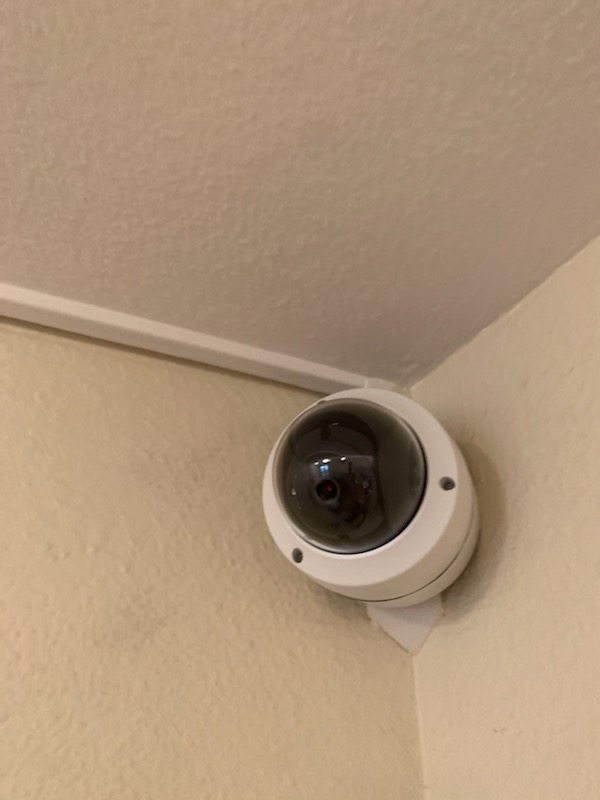
In today’s environment, securing commercial properties is not just a precaution - it is a necessity. Retailers and property owners must prioritize robust security measures to protect assets, employees, and customers. Mastering the security installation steps is essential to ensure that your surveillance and detection systems function flawlessly. I will guide you through the critical aspects of installing a security system that meets the highest standards of reliability and effectiveness.
Understanding the Security Installation Steps
The process of installing a security system involves several key stages, each demanding careful attention. Skipping or rushing any step can compromise the entire system’s performance. Here is a detailed breakdown of the essential security installation steps:
Assessment and Planning
Begin with a thorough assessment of the property. Identify vulnerable points such as entrances, exits, blind spots, and areas with high-value assets. Planning includes deciding on the types of cameras, sensors, and alarms needed. Consider factors like lighting, wiring routes, and network connectivity.
Selecting the Right Equipment
Choose equipment that matches your security goals. For commercial properties, this often means high-definition cameras with night vision, motion detectors, and reliable alarm systems. Ensure compatibility between devices and the central control panel.
Wiring and Power Supply Setup
Proper wiring is crucial. Use high-quality cables and ensure they are concealed to prevent tampering. Power supply should be stable, with backup options like batteries or generators to maintain operation during outages.
Device Installation
Mount cameras and sensors at strategic locations. Cameras should cover all critical areas without obstruction. Sensors must be placed where they can detect unauthorized access effectively.
System Configuration and Testing
Configure the system settings, including motion sensitivity, alert thresholds, and recording schedules. Test each component individually and then as a whole system to verify functionality.
Training and Maintenance Planning
Train staff on system operation and emergency protocols. Establish a maintenance schedule to check equipment regularly and update software to prevent vulnerabilities.
Following these steps ensures a comprehensive and resilient security setup tailored to your property’s unique needs.

Can I Install a Security System Myself?
Many property owners consider self-installation to save costs. While it is possible, it requires technical knowledge and precision. Here are some factors to consider before deciding:
Technical Expertise
Installing a security system involves electrical wiring, network configuration, and device calibration. Without experience, mistakes can lead to system failures or security gaps.
Time and Tools
Professional installation teams have specialized tools and can complete the job efficiently. DIY installation may take significantly longer and require purchasing or renting equipment.
System Complexity
Modern security systems often integrate with smart devices, cloud storage, and remote monitoring. Setting up these features correctly is critical and can be challenging for non-experts.
Warranty and Support
Many manufacturers require professional installation to maintain warranty coverage. Additionally, professional installers provide ongoing support and troubleshooting.
If you choose to install the system yourself, follow manufacturer instructions meticulously. However, for commercial properties where security is paramount, professional installation is highly recommended to ensure optimal performance and compliance with local regulations.
Optimizing Security System Installation for Commercial Properties
Commercial properties have unique security challenges. To master the installation process, consider these optimization strategies:
Prioritize High-Risk Areas
Focus on entry points, loading docks, parking lots, and cash handling zones. Use a combination of cameras and sensors to create overlapping coverage.
Integrate Access Control
Combine surveillance with access control systems such as keycards or biometric scanners. This integration enhances security by restricting unauthorized entry.
Leverage Remote Monitoring
Implement systems that allow real-time monitoring via smartphones or computers. This capability enables quick response to incidents, even when off-site.
Plan for Scalability
Choose systems that can expand as your security needs grow. Modular designs allow adding cameras or sensors without overhauling the entire setup.
Ensure Compliance with Regulations
California has specific laws regarding surveillance and data privacy. Ensure your installation complies with these regulations to avoid legal issues.
By applying these strategies, you create a security environment that is both robust and adaptable.

Common Challenges and How to Overcome Them
Security system installation is not without challenges. Anticipating and addressing these issues can save time and resources:
Signal Interference
Wireless systems may experience interference from other devices. Use wired connections where possible or select equipment operating on less congested frequencies.
Power Failures
Unexpected outages can disable security systems. Install uninterruptible power supplies (UPS) and backup batteries to maintain continuous operation.
Environmental Factors
Weather conditions, lighting, and physical obstructions can affect camera performance. Use weatherproof cameras and adjust angles to minimize glare and shadows.
Integration Issues
Different brands and technologies may not work seamlessly together. Standardize equipment or use compatible platforms to ensure smooth integration.
False Alarms
Incorrect sensor placement or sensitivity settings can trigger false alarms. Calibrate sensors carefully and conduct regular testing to reduce nuisance alerts.
Addressing these challenges proactively ensures your security system remains reliable and effective.
Maintaining and Upgrading Your Security System
Installation is only the beginning. Ongoing maintenance and timely upgrades are vital to sustaining security effectiveness:
Regular Inspections
Schedule routine checks to clean lenses, test sensors, and verify connections. Early detection of issues prevents system downtime.
Software Updates
Keep firmware and software up to date to patch vulnerabilities and improve functionality.
Performance Reviews
Analyze recorded footage and alert logs to identify patterns or weaknesses. Adjust system settings accordingly.
Upgrade Components
Technology evolves rapidly. Replace outdated cameras or add new features like AI-based analytics to enhance security.
Professional Support
Engage with trusted security specialists for periodic audits and repairs. Their expertise ensures your system operates at peak performance.
By committing to maintenance and upgrades, you protect your investment and maintain a secure environment.
Mastering the security installation steps is a critical investment in safeguarding commercial properties. Whether you opt for professional installation or a carefully planned DIY approach, understanding each phase ensures a system that is reliable, compliant, and tailored to your needs. For those seeking expert assistance, security system installation services provide the precision and integrity necessary to uphold the highest security standards. Prioritize your property’s safety today with a well-executed security strategy.


Comments