.png)
Comprehensive Guide to Maintaining Security Systems for Retailers and Commercial Properties
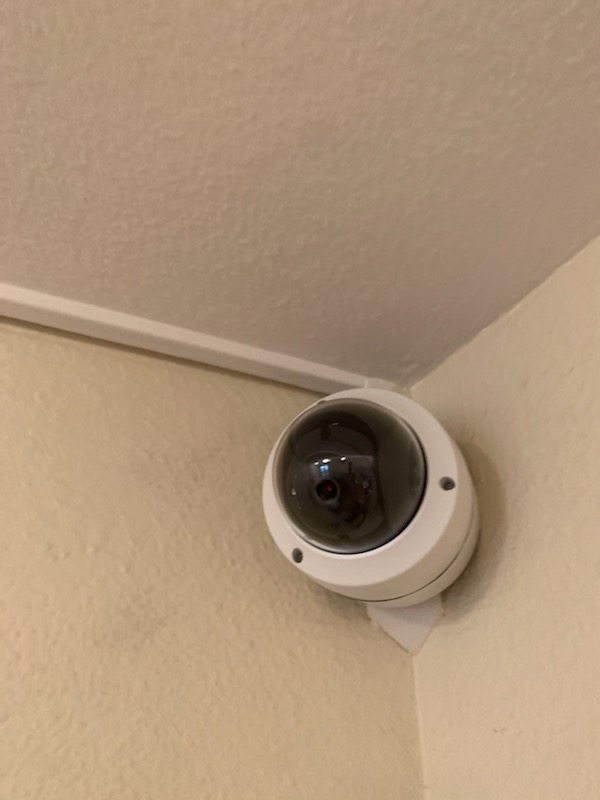
In today’s fast-paced commercial environment, security systems are not just an option—they are a necessity. For retailers and commercial property owners, maintaining the integrity and functionality of these systems is critical. A well-maintained security system safeguards assets, protects employees, and ensures peace of mind. However, the effectiveness of any security setup depends heavily on consistent upkeep and timely repairs. This guide offers a detailed roadmap to maintaining security systems, tailored specifically for commercial settings.
The Importance of Maintaining Security Systems in Commercial Properties
Maintaining security systems is a proactive approach that prevents costly breakdowns and vulnerabilities. Retailers and commercial property owners face unique challenges such as high foot traffic, multiple access points, and valuable inventory. These factors increase the risk of security breaches if systems are neglected.
Regular maintenance ensures that cameras, alarms, sensors, and control panels operate at peak performance. It also extends the lifespan of equipment, reducing the need for frequent replacements. Moreover, a reliable security system deters criminal activity, helping to maintain a safe environment for customers and staff alike.
By prioritizing maintenance, property owners demonstrate a commitment to safety and operational excellence. This commitment can also positively influence insurance premiums and compliance with local regulations.

Best Practices for Maintaining Security Systems
Effective maintenance requires a structured approach. Here are key practices that ensure your security system remains reliable and efficient:
Schedule Regular Inspections
Conduct monthly or quarterly inspections to check all components. Look for signs of wear, damage, or malfunction. Pay special attention to cameras, wiring, and sensors.
Clean Equipment Thoroughly
Dust, dirt, and debris can impair camera lenses and sensor accuracy. Use appropriate cleaning materials to keep devices clear and functional.
Test System Functionality
Regularly test alarms, motion detectors, and access controls. Simulate breach scenarios to verify response times and alert mechanisms.
Update Software and Firmware
Security systems often rely on software for operation and monitoring. Keep all software up to date to patch vulnerabilities and improve performance.
Replace Batteries and Backup Power Sources
Power interruptions can disable security systems. Replace batteries in wireless devices and ensure backup generators or UPS units are operational.
Document Maintenance Activities
Maintain detailed records of inspections, repairs, and upgrades. Documentation helps track system health and supports warranty claims.
Train Staff on System Use and Reporting
Employees should understand how to operate security systems and report issues promptly. Training reduces human error and enhances overall security.
What is security system maintenance?
Security system maintenance encompasses all activities aimed at preserving the functionality, reliability, and effectiveness of security equipment. It involves routine inspections, cleaning, testing, repairs, and updates. The goal is to identify and resolve potential problems before they escalate into failures or security breaches.
Maintenance is not a one-time task but an ongoing process. It requires a combination of technical expertise and operational diligence. For commercial properties, this means coordinating with security professionals and internal teams to ensure continuous protection.
Proper maintenance also includes adapting to evolving security threats and technological advancements. This may involve upgrading components or integrating new features to enhance system capabilities.

Common Security System Issues and How to Address Them
Understanding common problems helps in anticipating and preventing system failures. Here are frequent issues encountered in commercial security systems and practical solutions:
Camera Malfunctions
Cameras may experience blurry images, loss of signal, or physical damage. Clean lenses regularly and check connections. Replace faulty cameras promptly.
Sensor Failures
Motion detectors and door/window sensors can become unresponsive due to dirt, misalignment, or battery depletion. Clean sensors and recalibrate as needed.
Alarm System Errors
False alarms or failure to trigger can result from wiring issues or software glitches. Inspect wiring and update software to maintain accuracy.
Power Supply Interruptions
Power outages or faulty backup systems can disable security devices. Test backup batteries and generators regularly to ensure uninterrupted operation.
Network Connectivity Problems
Many modern systems rely on network connections for remote monitoring. Ensure stable internet connections and secure network configurations.
Addressing these issues promptly minimizes downtime and maintains the integrity of your security infrastructure.
Developing a Maintenance Schedule for Your Security System
A well-structured maintenance schedule is essential for consistent system performance. Here is a recommended timeline tailored for commercial properties:
Daily
Visual inspection of cameras and alarm panels. Check for obvious damage or alerts.
Weekly
Test alarm systems and access controls. Verify recording devices are functioning.
Monthly
Clean camera lenses and sensor surfaces. Inspect wiring and connections.
Quarterly
Perform comprehensive system tests including simulated breach scenarios. Update software and firmware.
Biannually
Replace batteries in wireless devices. Review and update security protocols.
Annually
Conduct a full system audit with a professional technician. Evaluate system performance and plan upgrades if necessary.
Adhering to this schedule ensures that your security system remains robust and responsive.
Leveraging Professional Services for Security System Maintenance
While some maintenance tasks can be handled internally, partnering with professional security service providers offers significant advantages. Experts bring specialized knowledge, tools, and experience to identify subtle issues and implement effective solutions.
Professional maintenance services typically include:
Detailed system diagnostics
Advanced repairs and component replacements
Software updates and cybersecurity enhancements
Customized maintenance plans tailored to property needs
Emergency response and rapid troubleshooting
Outsourcing maintenance to trusted specialists ensures compliance with industry standards and maximizes system uptime. It also frees internal resources to focus on core business operations.
For those seeking reliable support, security system maintenance services provide peace of mind and expert care.
Final Thoughts on Maintaining Security Systems
Maintaining security systems is a critical responsibility that demands attention, consistency, and expertise. For retailers and commercial property owners, a secure environment is foundational to business success. By implementing regular inspections, cleaning, testing, and professional support, you safeguard your assets and people effectively.
Remember, a security system is only as strong as its weakest link. Neglecting maintenance invites risk and potential loss. Commit to a disciplined maintenance routine and leverage expert services to uphold the highest security standards.
Investing in maintenance today prevents costly repairs and security breaches tomorrow. Take control of your security system’s health and ensure it performs flawlessly when it matters most.


Comments